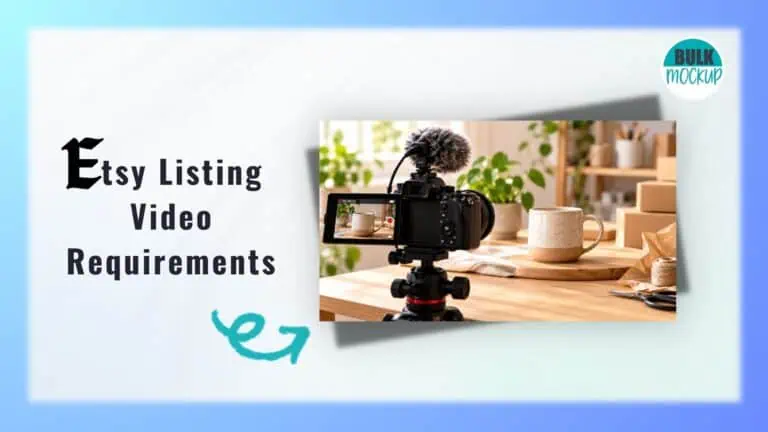


A photograph can show what your product looks like, but can it capture how a fabric moves, how jewellery catches the light, or how a printable design appears in use? A short video can reveal those details and help potential buyers picture what they are purchasing.
However, understanding Etsy listing video requirements can raise several questions. What file size and format should you use? How long can your clip be? Etsy now allows two videos per listing, although its official guides differ slightly on the minimum duration.
So, what should you follow to avoid upload issues? This guide covers Etsy’s latest specifications, recommended export settings, desktop and mobile uploads, common errors, and practical tips for creating videos that make your products worth a closer look.
Etsy has specific technical requirements for videos added to product listings. Before filming or exporting your footage, check the specifications below to ensure your files meet the platform’s upload limits.
| Requirement | Etsy’s current guidance |
| Videos per listing | Up to 2 |
| Video length | 3 to 15 seconds |
| Alternative duration guidance | 5 to 15 seconds |
| Maximum file size | 100 MB per video |
| Accepted formats | MP4, MOV, FLV, AAC, AVI, 3GP, MPEG |
| Minimum resolution | 500 pixels |
| Recommended resolution | At least 1080 pixels |
| Aspect ratio | 2:1 or 1:2 |
| Audio | Removed after upload |
| Upload devices | Desktop and Etsy Seller app |
| Video requirement | Optional |
Getting your video settings right before exporting can help prevent upload errors and preserve the details you want shoppers to see. Here’s how each specification affects your footage.
According to Etsy’s listing video guidelines, clips can last between 3 and 15 seconds. However, its listing creation guide specifies 5 to 15 seconds. Keeping your video within 5 to 15 seconds is the safest choice because it satisfies both instructions.
You don’t need to use the entire duration. Focus on the details a buyer would want to inspect, and trim longer footage before uploading so that important moments aren’t lost during processing.
For example, you could organise a 12 second necklace demonstration as follows:
| Duration | What to show |
| 0 to 3 seconds | Full view of the necklace |
| 3 to 7 seconds | How it looks when worn |
| 7 to 10 seconds | Close view of the pendant |
| 10 to 12 seconds | Its size or natural movement |
A short product video works best when it highlights one or two useful features rather than trying to function as a complete advertisement.
Etsy’s maximum listing video size is 100 MB per file. Your video’s storage size is different from its resolution. Resolution determines how many pixels make up the image, while file size measures the amount of data stored.
Several factors influence the final file size:
If your footage exceeds the limit, try adjusting the bitrate or compression settings before lowering its resolution. Always check the exported file’s properties, especially when working with animated mockups or footage recorded in high resolution.
Etsy supports several common file types, including MP4, MOV, FLV, AAC, AVI, 3GP, and MPEG.
For most sellers, MP4 with H.264 encoding is a practical export choice because it works with widely used editing applications.
These two terms describe different parts of the file:
Two files with the same .mp4 extension can contain video encoded differently, which may affect compatibility during processing.
Although Etsy includes AAC in its accepted file types, AAC is primarily an audio encoding format. It should not be treated as confirmation that audio files alone qualify as listing videos.
Video dimensions describe the width and height of your footage in pixels. Aspect ratio defines the relationship between those measurements.
Etsy’s official guidance recommends an aspect ratio of 2:1 or 1:2, although it does not explicitly state that every other ratio will be rejected.
Here are three common layouts you may encounter when preparing product footage:
| Aspect ratio | Example dimensions | Suitable use |
| 1:1 | 1080 × 1080 px | Jewellery, mugs, product details |
| 4:5 | 1080 × 1350 px | Clothing and lifestyle demonstrations |
| 16:9 | 1920 × 1080 px | Crafting processes and wider scenes |
These are illustrative dimensions, not an official list of Etsy approved presets.
The listing gallery may display or crop footage differently depending on the device and available screen space. To reduce the risk of important details being cut off:
Etsy sets a minimum video resolution of 500 pixels and recommends at least 1080 pixels for better visual quality.
Clear footage is particularly important when selling products with fine details, such as jewellery, embroidery, illustrations, or printed clothing. Poor resolution may make textures, small lettering, and intricate designs difficult to inspect.
However, increasing the export resolution cannot recover detail missing from the original recording. Excessive compression can also introduce pixelation and blur, even when the file meets Etsy’s technical requirements.
For the best results, export from your original recording or design project and preserve enough image quality for buyers to inspect the product comfortably.
Etsy automatically removes audio from listing videos after upload. This means buyers will not hear music, narration, voiceovers, or sound effects included in your original footage.
Your video should therefore communicate its message visually. For example, demonstrate how a handmade bag opens instead of explaining the mechanism through narration.
If additional explanation is necessary, use brief captions to identify product dimensions, personalisation options, or steps shown in a digital template demonstration. Keep the text large enough to read on mobile screens and position it where it will not cover important product details.
You can add videos to new or existing product listings through Etsy Shop Manager on your computer or the Etsy Seller app. Before uploading, make sure your footage is edited and meets Etsy’s technical specifications.
Follow these steps to upload your video through Etsy’s website:
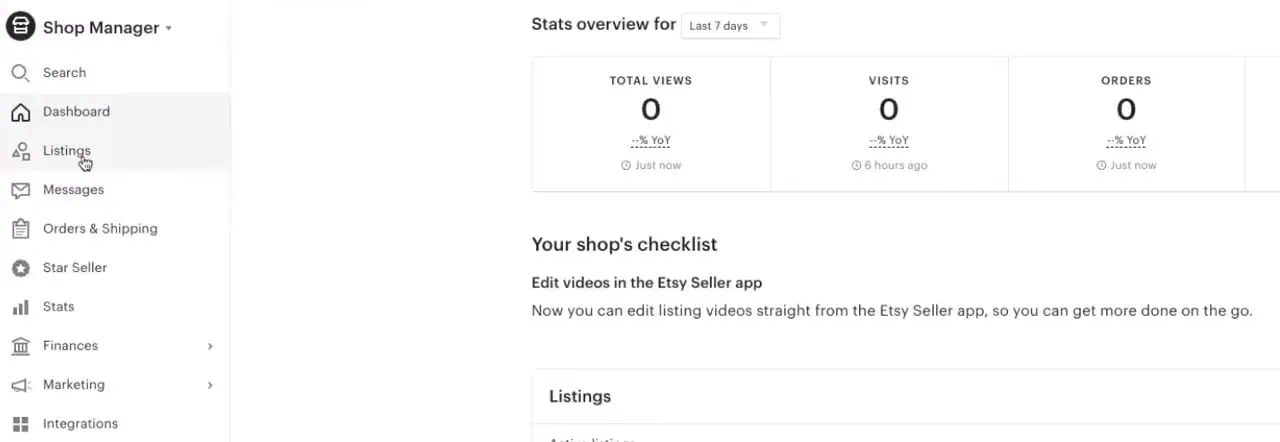
3. Locate the Photo and video section in the listing editor.
4. Drag your video into the upload area or click Upload to choose a file.
5. Allow the video to upload and finish processing.
6. Save your changes or select Publish for a new listing.
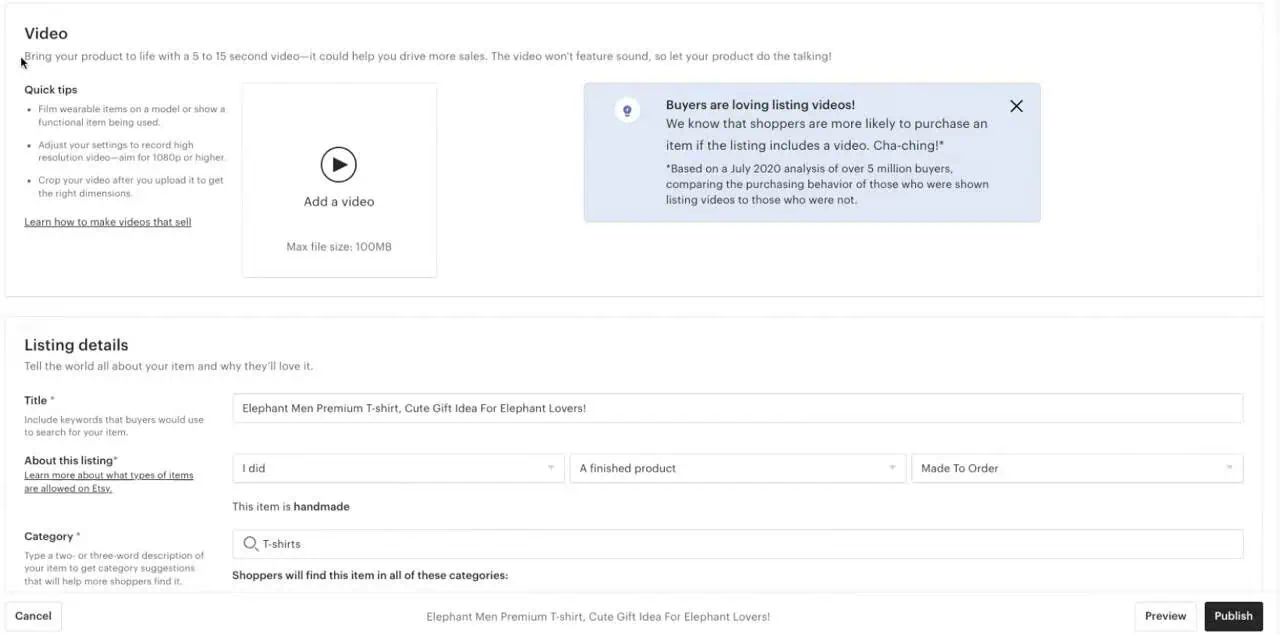
Etsy supports two videos per listing, so consider using one to show the complete product and another to highlight a specific feature.
If your footage is saved on your smartphone, you can upload it directly through the mobile app.
Even when your video meets Etsy’s published requirements, it may fail to upload or display as expected. The issue could come from export settings, connection problems, or how the footage appears in the listing gallery.
Here are common problems and practical ways to resolve them.
If Etsy refuses your file, start by checking its duration, size, resolution, and format against the official video requirements.
A supported file extension alone doesn’t guarantee compatibility. The underlying video encoding may also matter. Try exporting the footage again using MP4 with H.264 encoding. If it still fails despite meeting the specifications, attempt the upload through another browser or device.
Your video may appear properly framed in the editor but lose important details when displayed in Etsy’s gallery. Differences in aspect ratio and gallery presentation can contribute to this.
For example, the outer edges of a framed artwork mockup might disappear. Keep the entire product comfortably within the central area. If cropping persists, test a square or moderate portrait layout and compare the thumbnail with actual playback.
Blurry videos often result from poor source footage, excessive compression, or repeated exports. Small artwork details, printed text, and fabric textures are particularly vulnerable.
Return to your original recording or design file and export a fresh version with suitable quality settings.
Simply increasing the video’s pixel dimensions won’t recover missing detail. Inspect the finished clip at its actual display size before publishing.
An unstable connection, temporary app problems, or processing delays can interrupt an Etsy video upload. Occasionally, the exported file itself may cause difficulties.
First, confirm your internet connection is stable and retry.
If the problem continues, test a smaller file or upload through Etsy’s desktop website. When several valid videos repeatedly fail, check for a reported Etsy service issue or contact Etsy Support.
Incorrect orientation information in an exported file can cause a video to appear sideways. Open the saved file outside your editing application to check its rotation.
If necessary, correct the orientation in your editor and export it again.
For playback problems, inspect the published listing using another browser or device. Automatic playback may behave differently across platforms, so test the video itself rather than relying only on autoplay.
Quick Etsy Video Troubleshooting Checklist
| Problem | First thing to check |
| Upload rejected | Duration, file size, and codec |
| Video cropped | Aspect ratio and framing |
| Blurry footage | Source quality and compression |
| Upload stuck | Connection and processing status |
| Video sideways | Export orientation |
| Video silent | Normal Etsy behaviour |
These troubleshooting steps are practical recommendations, not guaranteed fixes for every upload problem. Etsy’s official video specifications remain the starting point for checking compatibility.
A useful listing video should reveal details that product photos cannot easily communicate. What you show depends on the product and what buyers need to know before purchasing.
Show jewellery being worn to demonstrate its size, movement, and appearance. Use close shots to capture gemstones, clasps, and finishes. For example, a bracelet video could show the complete piece, its fastening mechanism, and how it looks on the wrist.
For handbags, highlight compartments, closures, and strap length.
Capture how clothing fits, fabric moves, and printed designs appear at their actual scale. Rotating videos also work well for mugs, tumblers, and tote bags.
For multiple designs, Bulk Mockup helps create animated product mockups using Photoshop Smart Object templates. Ensure the animations accurately represent the products customers will receive.
Focus on craftsmanship, materials, and practical use. Show ceramic finishes, wood grain, stitching, or painted details from different angles.
You could film a handmade vase displayed on a table or demonstrate how a decorative storage box opens. Prioritise the finished product over lengthy production footage.
Use screen recordings to preview digital planners, editable templates, or downloadable artwork. Show relevant pages, customisation features, or how a design might appear in use.
For printable wall art, Bulk Mockup can help create animated previews using PSD mockup templates. Clearly indicate that the purchase includes a digital file, not a physical framed print.
Give buyers a clear view of the item’s actual condition. Capture scratches, fading, markings, edges, and working mechanisms.
For example, a vintage handbag video could show the lining, corners, and clasp. Use consistent lighting and avoid editing that conceals imperfections or misrepresents the product.
Creating individual video mockups for hundreds of Etsy designs can take considerable time. You need to replace artwork, adjust its position, and export each animation separately. For sellers managing large print-on-demand collections, this repetitive work can slow down product launches.
Bulk Mockup simplifies the process with a Photoshop plugin that automatically places artwork into compatible Smart Object templates, allowing you to generate multiple animated previews in batches.
Here’s what Bulk Mockup can help you do:
Before uploading, check each video’s duration, resolution, file size, and visual accuracy.
Want to simplify your Etsy video creation process? Explore Bulk Mockup and its tutorials to start generating product video mockups in batches.
A good Etsy listing video doesn’t need elaborate editing. What matters is showing your product clearly while following Etsy’s technical requirements. Before publishing, check your exported file and review how the video appears in the actual listing.
If you manage multiple products or print on demand designs, establish a consistent process for creating and exporting videos. This will help you maintain quality, reduce repetitive work, and give shoppers a better view of what they’re buying.
Yes, Etsy currently allows up to two videos per product listing. You can use one to demonstrate the product’s overall appearance and another to highlight details such as functionality, craftsmanship, or size.
MP4 with H.264 encoding is a practical choice for Etsy listing videos because it offers good compatibility and efficient compression. However, Etsy also accepts other formats, including MOV, AVI, FLV, 3GP, and MPEG.
You can upload a video containing audio, but Etsy removes the sound during processing. Therefore, avoid relying on spoken explanations or background music to communicate important product information. Use clear visuals or captions instead.
Yes, digital product listings can include video previews. You might demonstrate an editable template, display printable artwork, or show pages from a digital planner. Make sure buyers understand exactly which downloadable files their purchase includes.