


Having dozens of products ready sounds exciting until every item still needs its own images, title, description, pricing, variations, and final review. Repeating the same setup one product at a time can quickly slow down your shop growth.
Learning how to create Etsy listings in bulk can help you organise product data, reduce manual work, and publish larger batches with fewer errors. Etsy does not provide a direct native feature for uploading multiple new listings at once, so sellers need to use other available methods.
This guide explains the practical options, preparation steps, and checks that can make the entire process easier to manage.
You can create multiple Etsy listings more efficiently, but Etsy does not offer a native bulk uploader for new products. Its built-in features allow you to copy an individual listing or edit selected active listings together. Creating new listings from spreadsheets, image folders, or another e-commerce platform requires a compatible third-party tool or external integration.
| Task | Available directly through Etsy? |
| Bulk upload new listings | No |
| Copy an existing listing | Yes |
| Bulk edit current listings | Yes |
| Upload a CSV to create listings | No |
| Import products from another platform | Requires an external integration |
Etsy allows you to download data from your active listings as a CSV file. This export is useful for reviewing shop information in Excel or Google Sheets, but you cannot complete it and upload it back through Shop Manager to create new products.
A third-party Etsy bulk listing tool may offer its own CSV upload or spreadsheet template. Its formatting rules, required fields, and upload process will depend on the software.
Bulk creation works best when your listing data and product images are organised before upload. Keep titles, prices, tags, descriptions, SKU details, and inventory quantities in one spreadsheet, then store images in clearly labelled folders that match each product.
Create product groups based on shared details such as:
Use one checked reference listing or template for each group instead of applying a single format across your entire catalogue. Etsy categories affect the attributes and variation options available, while relevant production partners must be disclosed.
Separate templates reduce mismatched fields and make the final review easier.
Use one master spreadsheet as the controlled source for every product detail. Include columns for:
Only include production information where a production partner is involved. Category selection also needs careful attention because it affects the attributes and variation choices available for a listing.
Update the master file before changing data in your listing tool. This keeps product information consistent and prevents separate spreadsheet versions from becoming unreliable.
Complete your thumbnails, lifestyle photos, detail shots, size guides, and variation images before creating the listings. Etsy recommends using listing images that measure at least 2000 pixels in width and height for clearer presentation.
Include the SKU and image purpose in each filename:
Keeping your images organised from the beginning makes it easier to create, review, and update listings as your catalogue grows. To make file management even easier, BulkMockup can create mockups in batches and arrange exported files into subfolders using custom organisation and naming settings
Copying works well for a small batch when most listing details remain the same. Etsy carries the original information into the copy, while assigning it a new URL with no previous views or admirers.
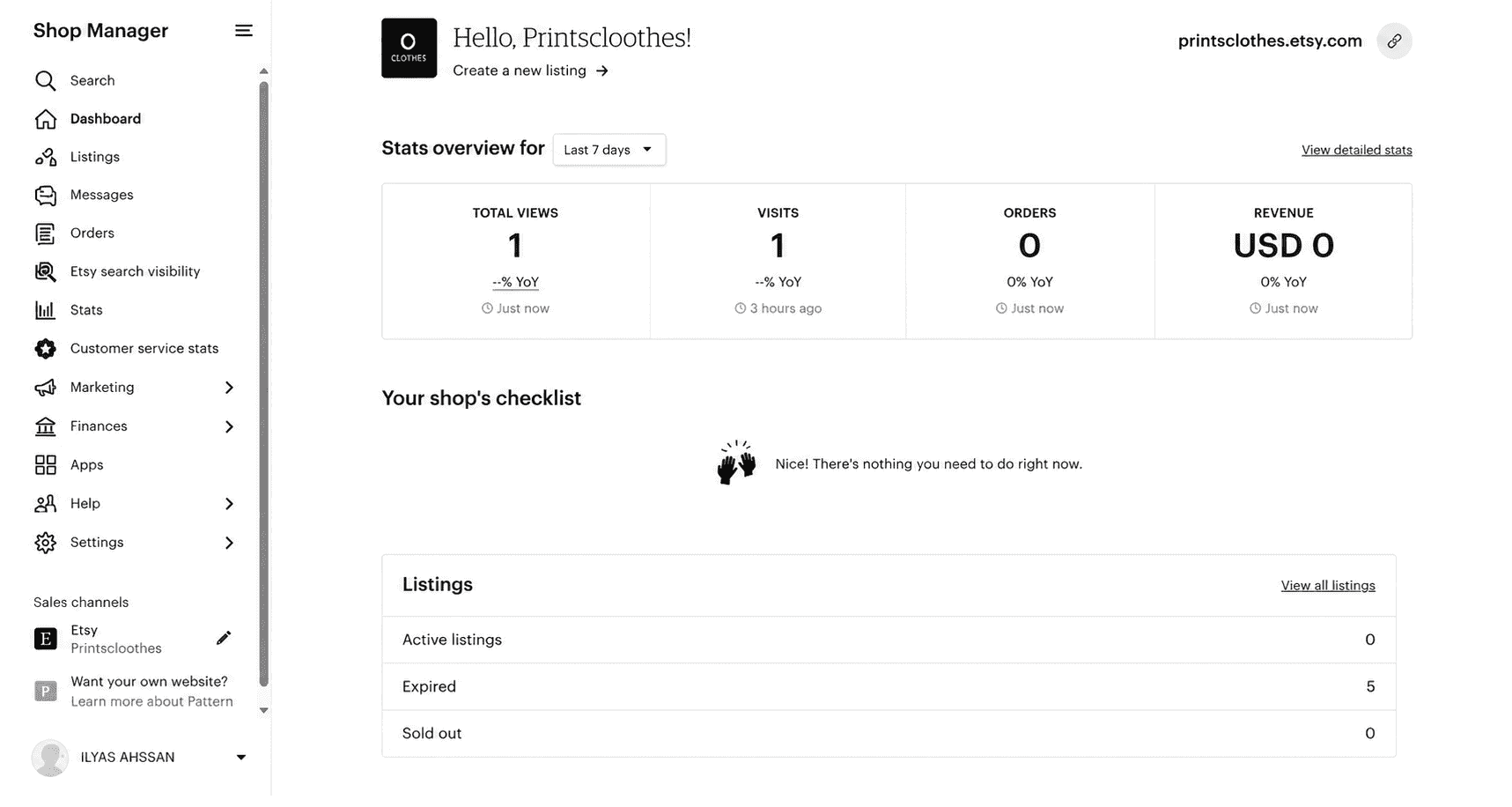
2. Add the correct category, attributes, shipping details, and shared product information.
3. Select Copy from the listing options.
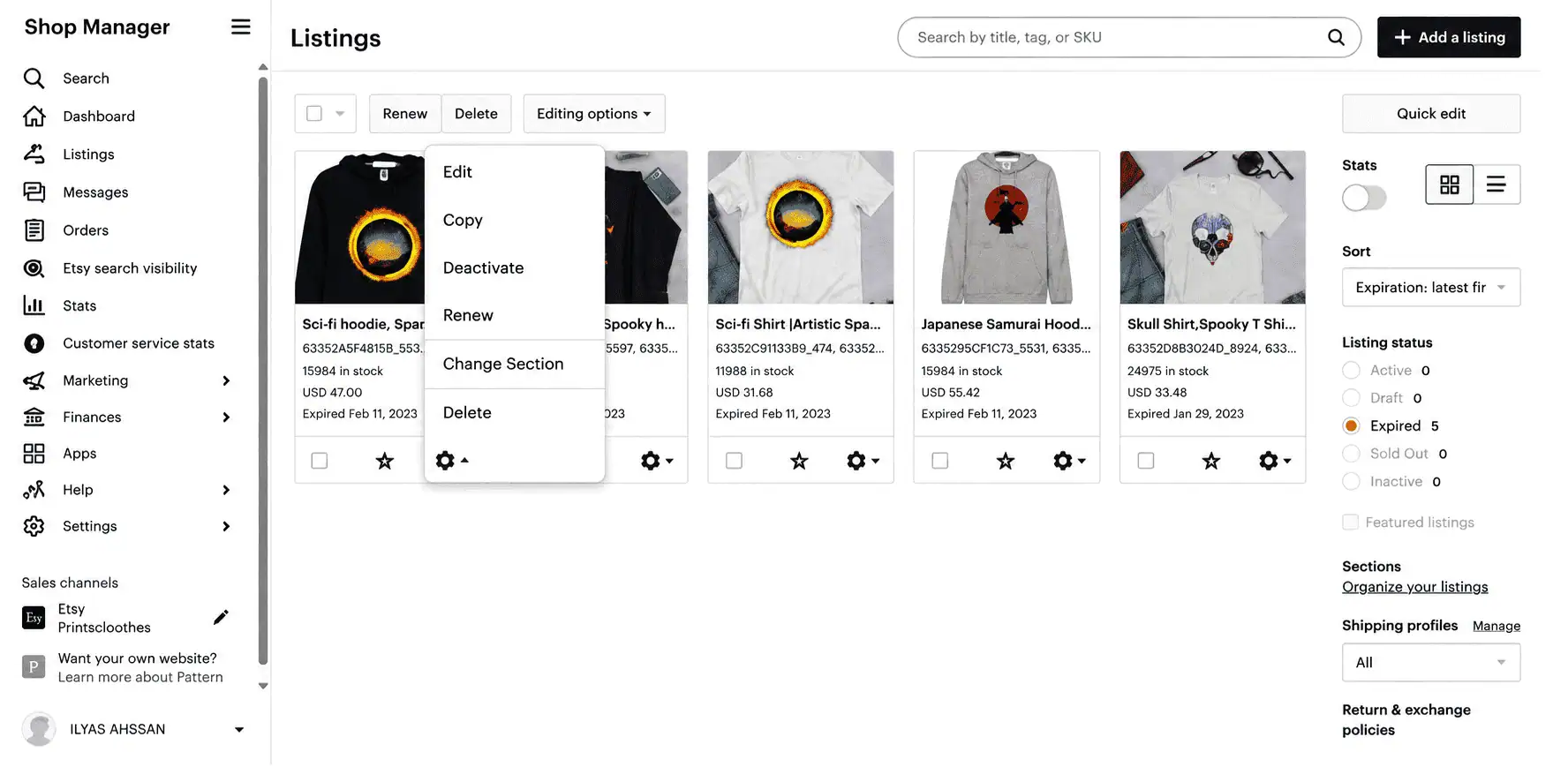
4. Replace the product images.
5. Revise the title, tags, description, SKU, price, and variations.
6. Keep the copied listing as a draft.
7. Complete a review pass before publishing.
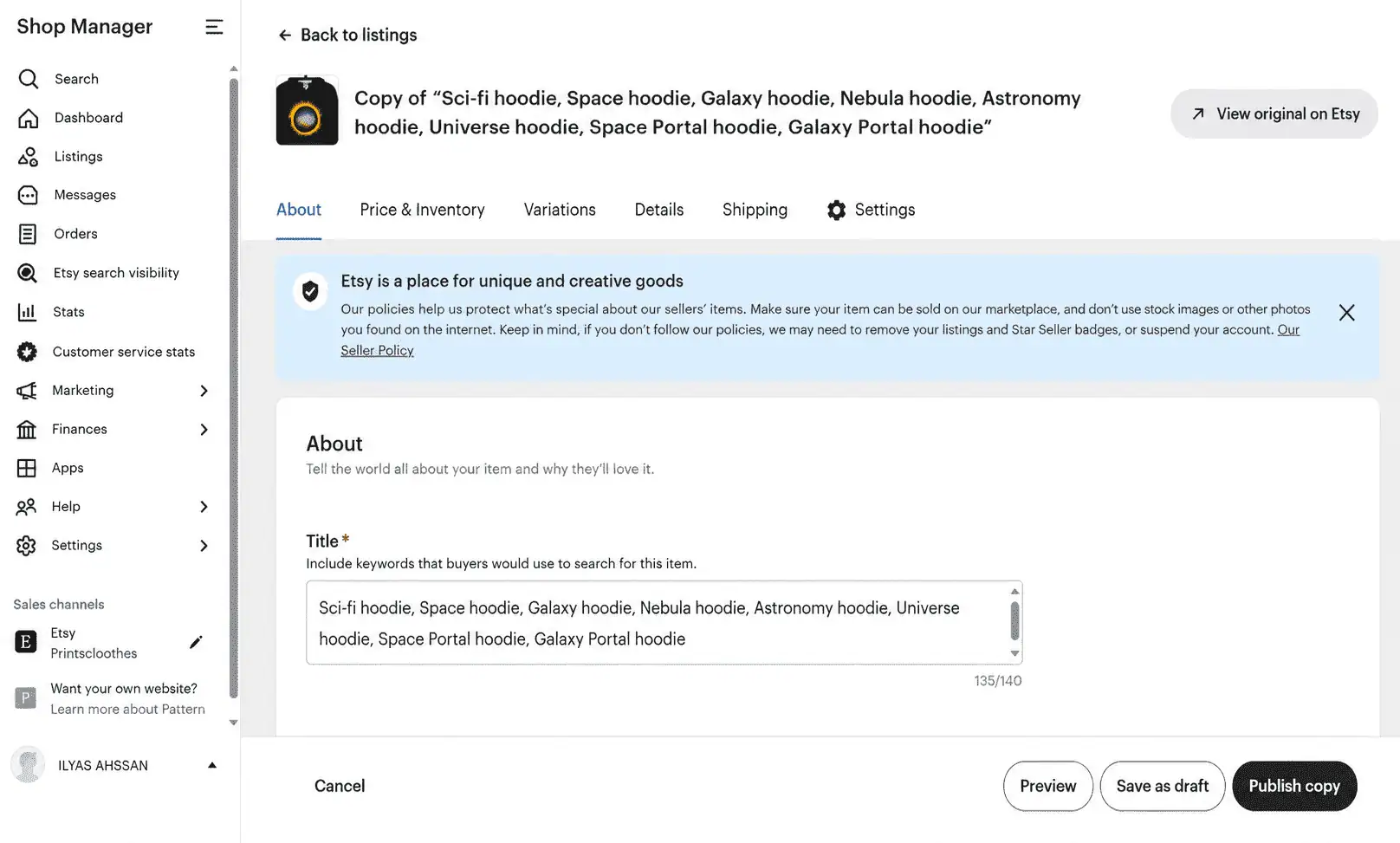
Copying reduces repeated setup, but every new listing still needs individual changes to its images, keywords, SKU, variations, and product details.
An Etsy bulk listing tool can support batch processing by creating several drafts in one listing manager. Depending on the software, you may be able to upload images, apply templates, configure variations, and complete listing details through a single browser interface.
Listadum offers a folder upload option through its Bulk Create feature. Each product folder becomes an editable listing with its images attached, while templates can fill shared information such as descriptions, tags, and shipping profiles.
A simple workflow is:
BulkMockup can arrange exports into subfolders named after each design file, keeping all mockup styles for that product together.
This method suits sellers whose products already exist with a print-on-demand supplier, Shopify store, or multichannel catalogue. Instead of rebuilding each item, you transfer selected products to Etsy through a compatible integration.
The process usually involves selecting Etsy as the destination, choosing the products, and mapping their categories, attributes, variations, images, inventory, and shipping data. Add Etsy-specific titles and tags before importing the listings as drafts.
Platforms such as MyDesigns can simplify this workflow by letting you manage products across multiple sales channels from one place. After connecting your Etsy shop, you can publish selected products instead of recreating every listing manually, making this approach especially useful for larger print-on-demand catalogues.
*The right method depends on your workflow. If you’re adding a few similar products or making small updates to an existing catalogue, Method 1 is usually the fastest because you can reuse most of an existing listing. If you regularly create new products in batches from design files, Method 2 is a better fit since it helps you prepare multiple listing drafts in one session instead of repeating the same setup. If your products already exist on a print on demand or multichannel platform, Method 3 saves the most time by publishing existing products to Etsy rather than rebuilding each listing from scratch.*
| Method | Best For | Advantage | Limitation |
| Copy Similar Listings | Small batches of similar products | Reuses an existing listing to save setup time. | Each listing still requires individual edits. |
| Etsy Bulk Listing Tool | Creating many new listings | Creates multiple drafts in one workflow. | Requires third-party software and prepared product data. |
| POD or Multichannel Import | Existing Shopify, POD, or multichannel catalogues | Publishes existing products to Etsy quickly. | Imported listings should be reviewed before publishing. |
Use Etsy’s bulk editing feature when the same change applies to several active listings.
Etsy supports bulk updates for titles, tags, descriptions, prices, production partners, renewal options, shipping profiles, and shop sections.
You can use it to adjust prices, replace seasonal tags, update shared description text, change shipping profiles, or reorganise products into different shop sections.
Test a small batch of 3 to 5 products before processing the full catalogue. Include one simple item and one with variations so you can identify problems across different listing types.
Only process as many listings as you can review carefully. Etsy allows unfinished listings to be saved as drafts until they are ready to publish.
Avoid these errors when creating or updating listings in batches:
A reliable workflow begins with consistent product data, SKUs, and image filenames. BulkMockup can generate mockups at scale and organise exports into separate design folders, while Listadum can turn prepared product folders into editable Etsy drafts.
Begin with a small test batch and fix recurring issues in the source file before processing more products. Keep each listing as a draft until it passes a final review. This approach supports faster catalogue growth without compromising the information and visual quality customers see.