Learn the simplest method to make smart objects editable in Photoshop. Follow easy steps to transform shapes into versatile, editable assets.


In this short tutorial, I’ll be showing you the easiest way to make a smart object editable in Photoshop.
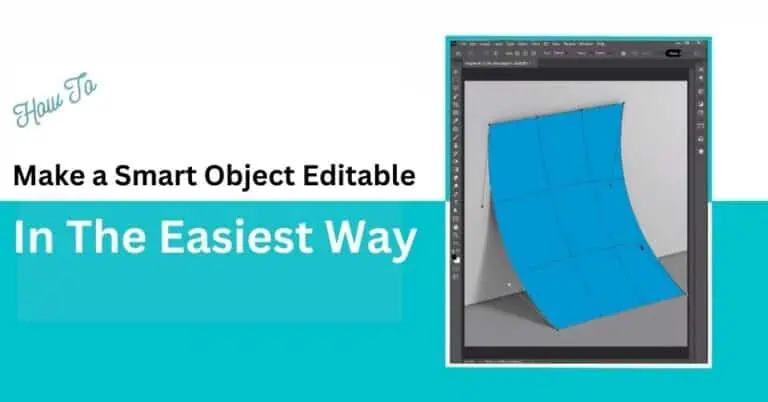
Today, you’ll learn how to make an editable smart object on a curved rectangle like the image below.

Initially, utilize the rectangle tool to create a rectangle of approximately the same dimensions as the object intended for conversion into a smart object.
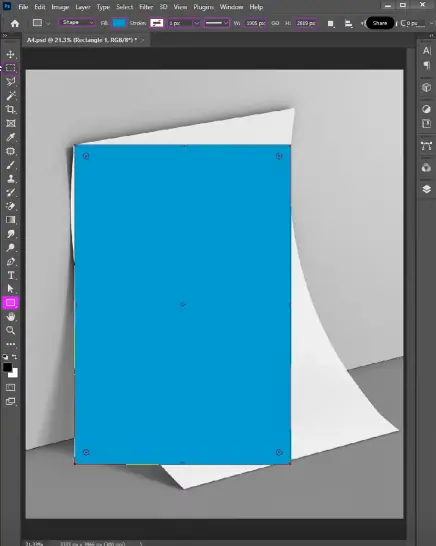
Then convert the rectangle as a smart object by right clicking the rectangle in the layers panel and choosing the “Convert To Smart Object” option.
Then hold “Ctrl” for Windows or “Cmd” for Mac to match the endpoints of the rectangle we made and the rectangle in the image.
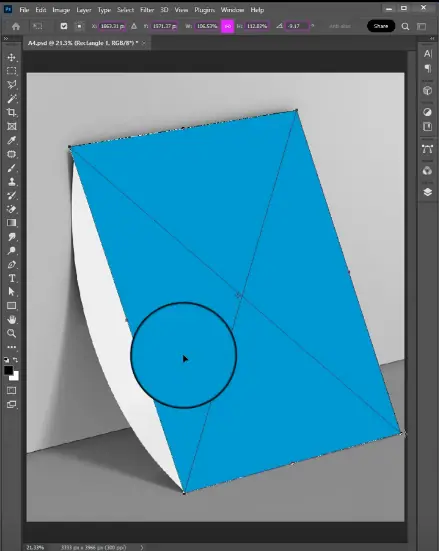
Then right click the smart object and choose the “Wrap” option so we can match the curves like this and click Enter.
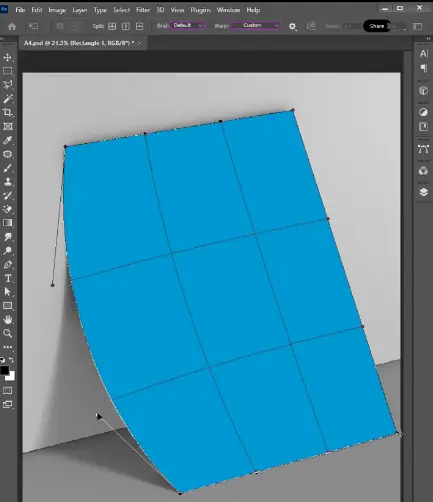
Then turn off the visibility of the smart object and choose the background layer. After that, take the “Magic Wand” tool to choose the curved image and press “Ctrl + J”.
That will create an additional layer.
Now turn on the visibility of the smart object again and right click, then choose the “Create Clipping Path” option.
And the process is done. Now all you have to do is double click the smart object layer in the layers panel and the Smart Object PSB file will open.
Put your design on that file, resize and reshape to fit it totally and save.
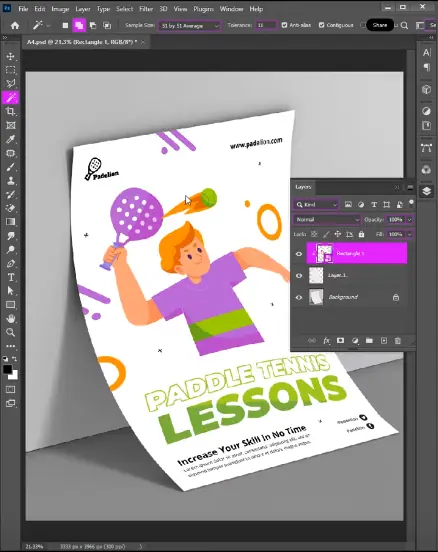
You will get the finished result like this and your editable Smart Object is done.