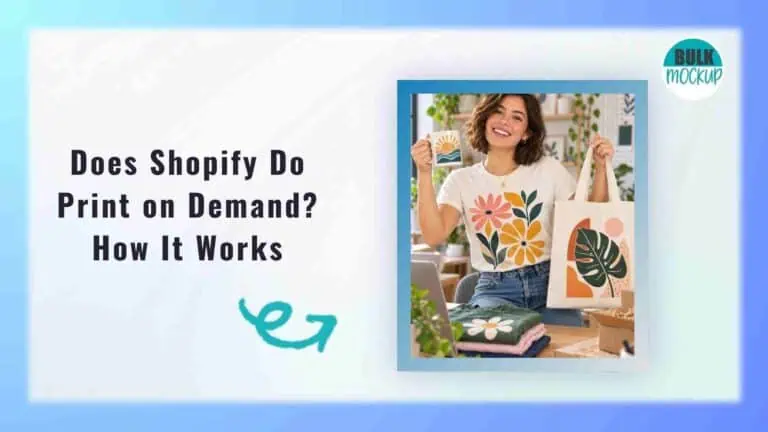


Print on demand gives creators and ecommerce sellers a way to launch custom products without buying large quantities of stock upfront.
If you are asking does Shopify do print on demand, the short answer is yes. Shopify can be used to build and manage a print on demand business, making it possible to sell custom products through your own online store.
The idea sounds simple, but once you start taking real orders, several practical questions come up. You need to think about costs, shipping, refunds, product quality, fulfilment, and the role your chosen supplier plays in the process.
This guide explains how Shopify print-on-demand works in practice, so you know what happens from the moment you set up your store to the point an order reaches the customer.
Shopify supports print on demand, but it does not operate its own printing service. You normally connect your store to a POD app or fulfilment provider that handles production and shipping.
The setup involves three separate roles:
Shopify manages your storefront, checkout, payments, customer orders, analytics, and fulfilment information.
The provider receives the order details, produces the item, packs it, ships it, and may send tracking information back to your store.
You choose the products and designs, set prices, manage branding and marketing, create store policies, handle customer enquiries, and monitor product quality.
This structure lets you run a print on demand business through Shopify without managing the physical production process yourself.
Once your store is connected to a POD service, routine order and fulfilment details can pass between the two systems with little manual input. The exact process varies depending on the provider and the approval settings you choose.
Start by choosing a provider that fits the products you want to sell and the customers you expect to serve. Once connected to your Shopify store, the service can receive the product and order information needed for fulfilment.
Do not focus only on the advertised base price. A lower product cost can be offset by expensive shipping, limited branding, slower production, or inconsistent quality.
Compare practical factors such as:
A good fit should support your margins, delivery expectations, and customer experience as the store grows.
Once the provider is connected, choose the blank items you want to turn into custom products. A Shopify print-on-demand store can include apparel, accessories, wall art, drinkware, and other customizable products, depending on the catalog your supplier offers.
Common options include:
You will also need to select the colours, sizes, and other variants you want customers to see in your store. Keeping the range focused at first can make product management easier and reduce the chance of offering combinations that are difficult to fulfil consistently.
One important detail is often overlooked. Even though you do not hold finished inventory yourself, the supplier still relies on physical stock of blank products. A certain size, colour, or product variant can therefore become unavailable temporarily, so it is worth checking stock patterns and replacement options before building a large catalog around one item.
Next, upload the artwork you want to place on the product. Each print-on-demand supplier sets its own requirements for file dimensions, resolution, colour profile, and printable area, so check those specifications before you create designs for your catalog.
Depending on the product, you may be able to choose different placements such as the front, back, sleeve, or an embroidery area. Use the available preview to check positioning and scale, but do not rely on the digital mockup alone when judging final quality because the actual print area and production method can affect how the design looks on the finished item.
Product visuals matter more in print on demand because customers are often deciding based on a listing image before that exact item has ever been physically produced. You can use mockups supplied by your POD provider, but creating your own visuals can give the store a more distinctive look and help you control how products are presented.
This part of the workflow can become time-consuming once your catalog grows. One design may need to appear across several colours, product types, and mockup scenes, which can quickly turn into hundreds or even thousands of listing images.
Bulk Mockup helps reduce that workload by automating repetitive mockup creation and generating product visuals in bulk. Instead of preparing every image one by one, you can produce larger groups of mockups faster and keep the visual process more consistent as your catalog expands. It also uploads the product listing.
When the product is ready, your POD integration can send the listing into Shopify with the details you have already prepared.
That usually includes:
Before publishing, check the variant mapping carefully. If a customer orders a black large T-shirt, that option needs to match the correct product on the fulfilment side. If the mapping is wrong, the wrong item can be sent for production.
Most Shopify print on demand apps make this syncing process easier, but you should still review the listing yourself. Make sure the price, product options, images, and descriptions all transferred correctly.
After that, you can place the product into the right collections, adjust SEO settings, review shipping details, and decide how you want it presented across your store.
A customer picks a product, chooses the size or colour they want, enters their shipping details, and completes checkout using the payment options you have enabled.
The order then appears in Shopify admin. To the customer, the purchase is from your store and your brand, not from Shopify or the fulfilment service working behind the scenes.
After the customer pays, Shopify can pass the order details to your connected POD provider. That usually includes the product, selected variant, shipping address, and the information needed to match the order with the correct item.
You decide how quickly that order moves forward. Depending on the approval controls available, it can:
A short delay can be useful if you sell personalized products or regularly need to correct addresses, review suspicious orders, catch the wrong artwork, or deal with cancellation requests.
With print on demand with Shopify, the customer payment and the fulfilment charge are usually two separate transactions. Your customer pays your store, while the print on demand supplier can charge your linked card, wallet, or account balance for the base product, printing, shipping, applicable taxes, and any optional extras you have selected.
Once production begins, the supplier makes the custom product, checks it, and packs it according to its fulfilment process. The parcel is then handed to a shipping carrier for delivery to the customer.
Production and shipping times are not fixed. They can change depending on the product, printing method, facility, season, destination, and current order volume. This is why sellers should avoid promising delivery dates that leave no room for production delays.
The shipping stage should also update the order inside your store. Many POD integrations send the tracking number and fulfilment status back to Shopify once the parcel leaves the production facility, and most apps mark the item as fulfilled at that point.
If your notification settings are enabled, the customer can then receive shipping updates from your store. Before you start spending on ads, place a complete test order yourself so you can check the entire Shopify POD flow, from order sync to tracking and customer emails.
The easiest way to avoid confusion is to separate the store functions from the physical fulfilment work. In most Shopify print on demand setups, responsibilities are split like this:
| Area | Shopify | POD Provider | Store Owner |
| Storefront | Hosts the store | Not responsible | Sets up and manages it |
| Checkout | Provides checkout infrastructure | Not responsible | Configures payment options |
| Artwork | Does not create it | Prints the submitted file | Creates or supplies the design |
| Product manufacturing | Not responsible | Produces the item | Not responsible |
| Product pricing | Provides pricing tools | Sets the fulfilment cost | Sets the retail price |
| Customer payment | Processes the transaction through the store setup | Usually does not charge the customer directly | Receives the sale proceeds |
| Supplier fulfilment cost | Not involved | Charges the merchant | Pays the supplier |
| Packing | Not responsible | Usually handles packing | Sets expectations for presentation |
| Shipping | Stores fulfilment and tracking data | Arranges shipment | Sets the customer facing shipping policy |
| Customer service | Provides store tools | Supports the merchant on fulfilment issues | Deals with the customer |
| Customer refunds | Provides refund controls | May reimburse the merchant under its own policy | Issues the customer refund |
| Marketing | Provides integrations and tools | Not responsible | Plans and runs marketing |
The payment flow is easiest to understand as two separate transactions. This is an important part of the Shopify print on demand business model because the money from a sale may not reach your bank before the fulfilment bill is due.
The customer pays the retail price through the payment method enabled on your store. If you use Shopify Payments in the USA, payouts typically reach a bank account within 3 to 5 business days after payment is captured, depending on settlement time and bank processing. Other payment providers use their own payout schedules.
So, an order marked as paid does not mean the funds are already available in your bank account.
Your print on demand provider bills you separately for fulfilment. The charge can include the blank product, printing, additional print areas, shipping costs, supplier taxes, and optional branding or packaging.
The provider normally charges your linked payment method or account balance rather than taking its cost directly from the Shopify customer payment. This creates a working capital requirement because you may need to cover fulfilment before your payout arrives.
For that reason, your retail price should account for the full fulfilment cost, payment fees, and your intended profit margin.
Shopify POD is usually low inventory risk, but it is not free to operate. Your total cost depends on the Shopify plan you use, your fulfilment charges, and any extra tools you choose to add.
The main platform costs can include:
Shopify confirms that payment and third party transaction fees vary by plan and payment setup.
Your print on demand provider can charge for the blank product, printing or customization, shipping, applicable taxes, and optional branding or packaging features.
These costs vary by product and supplier, so compare the full fulfilment cost rather than the base product price alone.
You may also spend money on tools such as email software, review apps, personalization apps, design software, mockup tools, advertising, or product samples.
Keep some available funds for fulfilment. Your supplier may charge you before the customer payment reaches your bank account, so a growing print on demand business can need more working capital even when you do not purchase finished inventory upfront.
For delivery estimates, separate the time needed to make the product from the time it spends with the carrier. Shopify defines fulfilment time as the period between the customer placing an order and the shipment being handed to the carrier.
Your total estimate should therefore account for production time, carrier transit, and any approval delay before fulfilment begins.
Before opening the store to customers, run a few checkout tests using the same combinations a real buyer might choose. This is especially useful for Shopify POD stores because products assigned to different shipping profiles or fulfilment locations can produce combined shipping rates at checkout.
Test orders with:
For each test, check the shipping rates shown, delivery wording, free shipping thresholds, and whether any unexpected charges appear. Also confirm that the intended fulfilment locations and shipping zones are being used.
Start with the practical side of your business. Where your customers live, what you plan to sell, how much fulfilment costs, and how reliably orders are handled will matter far more than a provider’s headline pricing.
| Factor | What You Should Check |
| Customer geography | Where most of your customers are based |
| Production geography | Whether products can be produced close to those customers |
| Catalog | Whether the provider offers the products, colours, sizes, and variants you need |
| Print technique | Whether it supports DTG, DTF, sublimation, embroidery, or another method suited to your designs |
| Blank product quality | Material, sizing, product brand, and consistency |
| Product cost | Actual pricing for the variants you plan to sell |
| Shipping | Domestic and international delivery cost and coverage |
| Branding | Availability of labels, inserts, packaging, and packing slips |
| Samples | Whether samples are available and what they cost |
| Order approval | Whether orders can be reviewed manually or sent automatically |
| Replacement policy | How defects, lost parcels, and damaged items are handled |
| Integration | Whether order syncing, fulfilment updates, and tracking work reliably |
| Provider network | Which facility or partner actually produces the item |
| Support | How quickly fulfilment problems can be escalated and resolved |
| Total landed cost | Product, printing, shipping, taxes, and other expected operating costs |
Connecting your store to a POD supplier solves the production and fulfilment side, but you still need product visuals for every listing. If you have 100 designs and five mockup scenes for each one, that already creates 500 images before you add more products, colours, or variants.
Bulk Mockup helps speed up that part of the workflow. It can apply many designs across PSD templates, replace Smart Objects in bulk, resize and align artwork automatically, work with templates that contain multiple Smart Objects, and create organised static or video mockups with controlled file naming.
For larger Shopify POD catalogs, this can reduce the amount of repetitive image work involved in preparing products for sale. Bulk Mockup supports mockup creation and listing preparation, while your POD provider remains responsible for manufacturing and shipping the physical item.
Before you invest more time or money into your store, make sure the full process works properly. Check your margins, place a test order, review the finished product, and see how shipping and customer notifications work in practice.
As the number of products increases, creating listing visuals can take up a lot of time. Bulk Mockup helps you produce mockups in bulk, keep product images organised, and prepare larger catalogs without editing every design manually.
No. Shopify provides the ecommerce platform, while a connected print-on-demand provider usually manufactures, packs, and ships the product. You remain responsible for the store, pricing, policies, and customer relationship.
With print on demand with Shopify, you connect a POD service to your store, add products and designs, then publish the listings. When a customer orders, the fulfilment provider receives the relevant order details and produces the item.
Usually, no. The print on demand business model lets you sell products without purchasing finished stock in advance. However, suppliers still rely on blank product inventory, so certain sizes, colours, or variants can temporarily become unavailable.
Costs can include your Shopify plan, payment processing, product fulfilment, printing, shipping, taxes, and any optional apps or marketing tools. The exact total depends on your provider, product range, and store setup.
It can be, but profitability depends on your selling price, fulfilment cost, shipping, payment fees, advertising, returns, and order volume. A healthy profit margin requires pricing products around the full cost of each sale, not just the base product price.