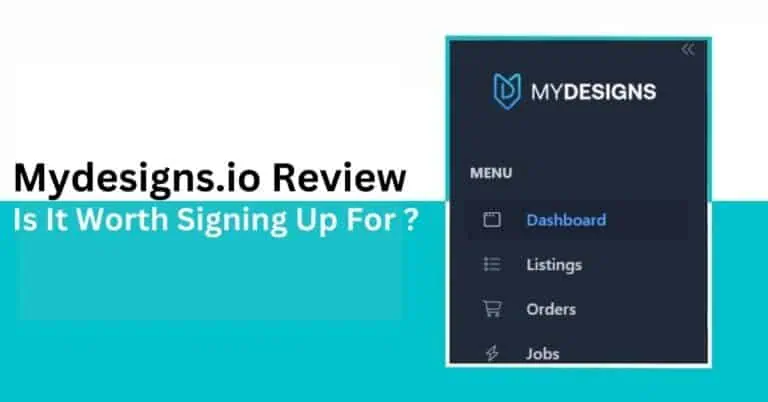
Read our detailed MyDesigns.io review to learn about its AI features, pricing plans, and why some sellers are choosing alternatives instead.


MyDesigns is built for sellers who want to handle more of the print on demand workflow from one dashboard, including bulk product creation, mockups, listing data, publishing, AI tools, and marketplace connections. It also supports digital products, making it relevant beyond a standard POD setup.
That sounds convenient, but convenience alone does not make a platform worth paying for. The real test is whether MyDesigns can remove enough manual work to justify its subscription, extra AI costs, and the time it takes to learn the system.
In this MyDesigns review, we will look beyond the feature list and examine how the platform actually fits into a growing ecommerce workflow.
MyDesigns is strongest when you want to manage several print-on-demand tasks from one place. You can create products in batches, generate custom mockups, prepare listing content, and publish to channels such as Etsy, Shopify, WooCommerce, and TikTok Shop. Its Free plan also gives you access to the core workflow with a limit of four products per batch.
The platform becomes less straightforward as you use more of its ecosystem. Batch limits depend on your subscription, AI tools consume monthly credits, and the number of connected Etsy and Shopify stores also varies by plan. Independent reviews additionally mention issues such as upload errors, lost product data, and problems with Printify connections.
Quick Verdict: MyDesigns makes the most sense for high-volume sellers who will actually use its bulk creation, mockup, listing, publishing, and automation tools together. If your workflow only needs one narrow function, a specialist platform may be easier to learn and more economical.
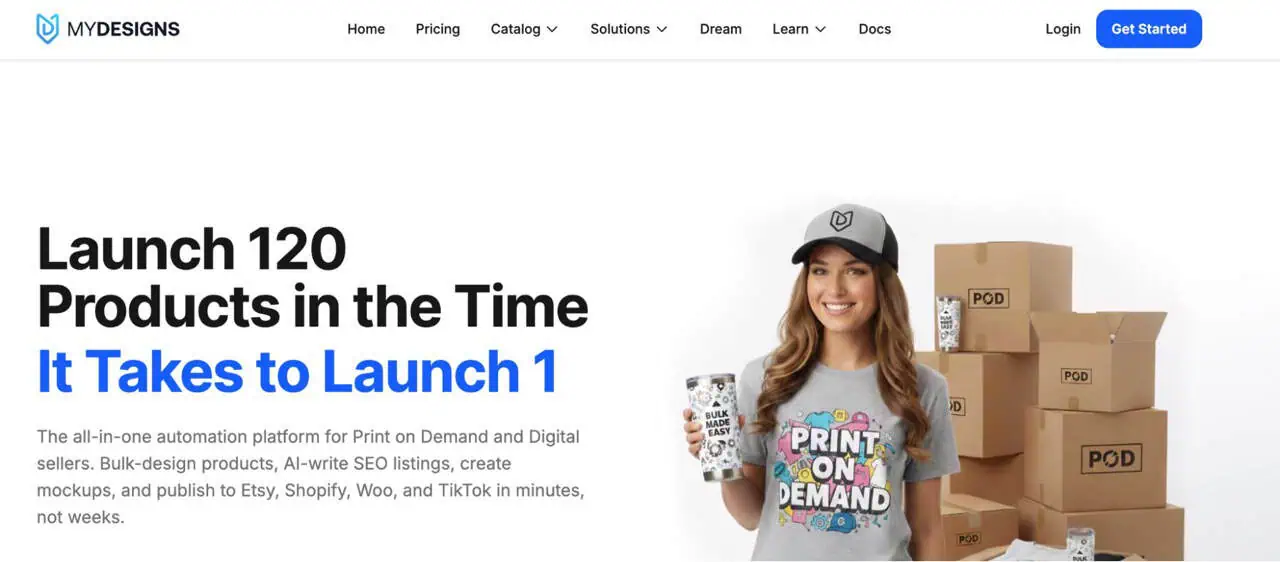
MyDesigns is a centralized platform for running print-on-demand and digital product workflows, not simply a mockup generator. You can manage designs, use AI tools, create products, generate mockups, edit listing data in bulk, publish products, and manage orders from one system.
The workflow moves from research or design creation to product setup, mockups, listing content, publishing, and orders. MyDesigns currently supports channels including Etsy, Shopify, WooCommerce, TikTok Shop, and Amazon, making it most useful when you repeat the same process across a substantial catalog.
MyDesigns gets a lot of attention across blogs, videos, and creator content, and not all of that enthusiasm necessarily comes from the product alone. The company currently offers affiliates a 20% recurring commission for every paying subscriber they refer.
That does not mean every positive review is biased. But when a platform rewards ongoing referrals, it is worth reading promotional coverage with a little more scrutiny and focusing on whether the tool genuinely fits your workflow.
MyDesigns currently offers four plans, ranging from a Free account for testing the platform to Pro Plus for sellers handling larger catalogs and multiple stores. Annual subscriptions provide 12 months for the price of 10, which MyDesigns presents as two months free compared with month-to-month billing.
| Plan | Annual Billing Equivalent | Month to Month | AI Credits | Products per Batch | Etsy / Shopify Stores | Storage |
| Free | $0 | $0 | None | 4 | 1 / 1 | 2 GB |
| Starter | $19.99/mo | $24.99/mo | 250 | 24 | 1 / 1 | 40 GB |
| Pro | $39.99/mo | $49.99/mo | 600 | 48 | 3 / 3 | 100 GB |
| Pro Plus | $79.99/mo | $99.99/mo | 2,000 | 120 | Unlimited | 1 TB |
The biggest difference is how much work you can process at once. Free supports only four products per batch and includes no monthly AI credits, making it useful for exploring the core workflow rather than running a large POD catalog. Starter raises batch capacity to 24 products and adds 250 AI credits, while Pro and Pro Plus increase both limits substantially.
Paid plans also unlock custom mockups. Pro adds bulk video mockups and catalog import and export, while Pro Plus includes the same capabilities with higher limits and priority support. Catalog discounts increase from 2% on Starter to 5% on Pro and 10% on Pro Plus.
If you use a native MyDesigns Store, Starter includes one store with a 6% platform fee, Pro includes two at 4.5%, and Pro Plus includes three at 3%. Standard payment processing of 3% plus $0.25 per transaction is charged separately.
New paid subscribers who pay upfront can request a refund within seven days if the service does not meet expectations. However, the value of AI credits already used during that period may be deducted from the refund.
A paid MyDesigns subscription does not make every AI feature unlimited. Credits are used for AI actions such as Dream AI generation, background removal, image upscaling, and Scout. Before an action runs, MyDesigns shows the estimated credit cost, so you can see what it will consume in advance.
Current monthly allowances are:
These product estimates are only a guide. Your actual usage depends on which AI tools you run and how frequently you use them.
Yes. Unused AI credits can remain available for up to three months while your subscription stays active. MyDesigns deducts the oldest credits first, and any balance left from a given month expires when it reaches the fourth month.
Credits cannot be converted into cash or transferred as wallet funds. If your subscription is cancelled, expires, or lapses, any unused subscription credits are forfeited.
The rollover gives you some flexibility if your AI usage changes from month to month. However, heavier users still need to track consumption because a paid plan provides a set allowance rather than unlimited AI generation.
MyDesigns becomes much more useful once you stop thinking in individual listings and start working in collections. You can select multiple designs and move them through product creation together, then continue with mockups, listing data, pricing, and publishing from the same workflow.
This is particularly valuable when you:
Its listing management tools also let you apply changes to several products at once, including edits to images and listing data.
For sellers creating dozens of products repeatedly, those saved actions can materially reduce setup time. If you only add a few listings each month, the benefit is far less significant.
MyDesigns reduces the need to piece together separate tools for design storage, AI artwork, listing creation, mockups, publishing, and order handling. Its documentation positions the platform as a single workspace where those steps stay connected from product idea to live listing.
That setup can make a noticeable difference when your workflow normally involves moving files, copying listing data, and switching between several services. Instead, product assets and listing information can remain tied to the same catalog.
User feedback reflects the same strength:
For sellers already juggling several apps, that consolidation is one of MyDesigns’ more convincing advantages.
MyDesigns can generate mockups in batches and offers more than 4,000 templates for apparel, drinkware, wall art, stickers, and digital products. Paid plans also support custom PSD uploads, while Pro and Pro Plus include bulk video mockups.
Note: The built in mockups may look too basic for some brands, so you may still need custom PSDs for a more distinctive style. Several MyDesigns community user raised the same concern about the supplied mockups.
The video option is also quite simple. You choose existing listing images and place them in order to create a video, so it does not offer the same control as a fully custom animated mockup.
MyDesigns uses AI at several stages of the workflow rather than limiting it to image generation. Dream AI can create artwork from prompts or reference images, while Canvas gives you a built in editor for refining those assets with text, effects, background removal, upscaling, and other design tools.
Scout takes a different role. It researches products with existing demand signals and generates original concepts that can be moved into the MyDesigns catalog for further editing and publishing.
The AI tools can also help with repetitive preparation work:
The biggest advantage is speed at the first draft stage. You still need to review the artwork and listing information before publishing, but these tools can reduce the amount of manual editing needed to get a product ready.
MyDesigns can move finished products from its catalog directly into connected Etsy and Shopify stores, which removes the need to rebuild each listing manually on the marketplace side. Its bulk publishing tools can carry over key product data such as titles, descriptions, images, variants, SKUs, and pricing.
This is especially useful when you maintain similar catalogs across both platforms. Instead of preparing one version for Etsy and another for Shopify, you can manage the source product inside MyDesigns and publish it to the relevant connected shops from the same dashboard.
MyDesigns added direct Printify integration in June 2025, giving sellers a more connected way to use Printify products inside the platform instead of relying mainly on CSV-based workarounds.
Once connected, you can configure supported Printify products in MyDesigns, assign artwork and variants, set pricing, publish them to connected shops, and route incoming order details to Printify.
The integration launched in beta with a limited catalog, but MyDesigns later added more than 500 additional Printify products.
MyDesigns includes several connected tools for products, mockups, AI creation, publishing, orders, and store integrations. New users may therefore need time to understand how libraries, batches, presets, product settings, and sales channels work together. MyDesigns itself recommends publishing one product from start to finish before attempting larger bulk workflows.
Independent Product Hunt feedback also identifies the learning curve as a recurring drawback, although many reviewers still describe the interface as user-friendly.
Product Hunt and other independent reviews include reports of occasional bugs, failed mockups, integration issues, and batch jobs needing manual cleanup. These experiences are not universal, so reliability is better judged by usable outputs divided by total attempted.
Bulk mockups can still require checks for scale, positioning, cropping, template dimensions, and render consistency, especially with custom PSD files. Sellers who need precise Photoshop control may prefer a specialist PSD workflow.
MyDesigns can speed up titles, tags, descriptions, and other listing content, but AI output still needs review for keyword relevance, product accuracy, and natural wording. Test several different designs before applying generated metadata across bulk listings.
Monthly credits suit moderate AI use, but sellers generating or enhancing assets at scale can consume them quickly. Heavy users should compare their expected monthly AI workload against the allowance rather than assuming paid plans provide unlimited generation.
Starter supports 24 products per batch, Pro 48, and Pro Plus 120, which is sufficient for many stores but requires repeated runs for very large catalogs. Specialist tools can make more sense when mockup volume is the main requirement.
Support feedback is mixed rather than uniformly positive or negative. Product Hunt contains many favorable comments about responsiveness, but some users also describe delayed answers or difficulty resolving technical problems.
Keeping assets, listing data, mappings, and connected workflows in one system increases dependency on that platform. MyDesigns states that accounts inactive for six continuous months may be deleted, so maintaining independent copies of important content is sensible.
MyDesigns reviews vary noticeably by platform.
Positive feedback regularly centers on bulk listing, batch editing, mockup creation, AI tools, Etsy integration, and time savings. Users also value having design assets, listing preparation, and publishing tools together instead of relying on several separate services.
Customer service receives particularly strong feedback on software directories.
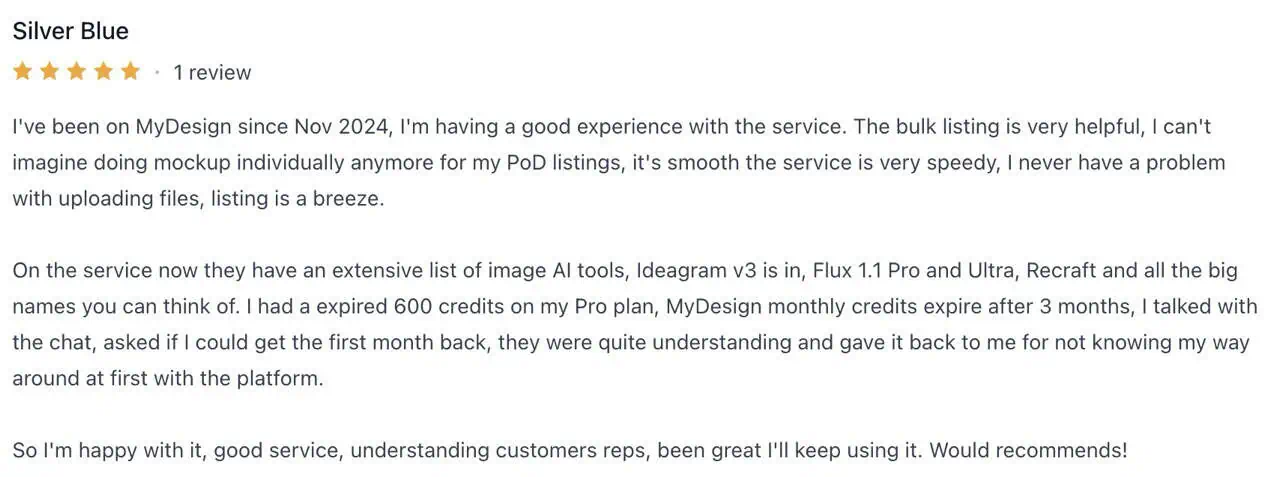
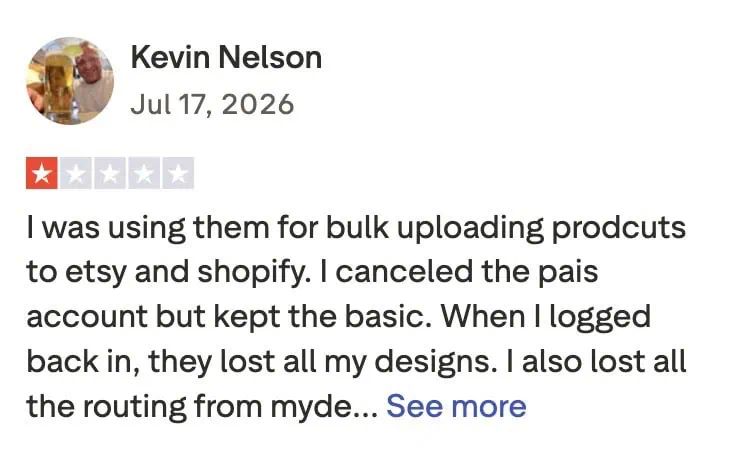
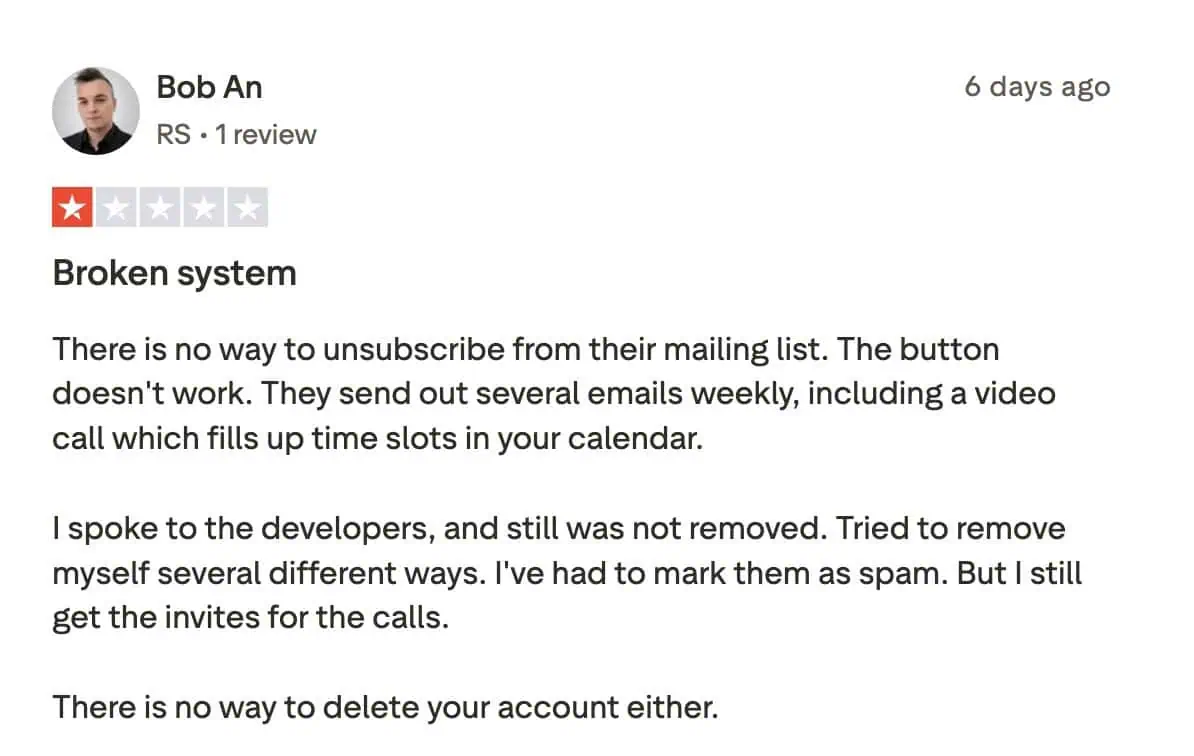
Critical feedback is less consistent but tends to cluster around the learning curve, occasional bugs, AI credit limits, uneven AI output, mockup problems, and technical interruptions. Product Hunt itself identifies learning curve, bugs, and the credit system among the recurring cons reported by reviewers.
Support sentiment also varies. Some reviewers describe quick assistance, while others report difficulty reaching human support or resolving technical issues. Trustpilot contains several more critical experiences involving credits, account problems, integrations, and response times.
The takeaway is not that MyDesigns is either universally reliable or unreliable. User experience appears to depend considerably on the workflows and features being used.
If you sell through a native MyDesigns Store, platform and payment processing fees apply in addition to your subscription. The platform fee falls as you move to higher plans.
| Plan | MyDesigns Stores | Platform Fee |
| Starter | 1 | 6% |
| Pro | 2 | 4.5% |
| Pro Plus | 3 | 3% |
MyDesigns also charges 3% plus $0.25 per transaction for payment processing across these plans.
For a $30 Starter sale, the 6% platform fee is $1.80, payment processing adds $0.90, and the fixed charge is $0.25. That brings total transaction costs to $2.95, or about 9.8% of the order value, before production and shipping costs.
MyDesigns is the broader platform. It combines AI design tools, listing generation, publishing, shop integrations, Printify connectivity, and order management in one system, which can be useful if you want to manage several parts of your POD business together.
Bulk Mockup takes a more focused approach. It is built around speeding up mockup production by automating repetitive tasks such as replacing multiple Smart Objects in bulk, resizing and aligning designs, organizing exported files, and creating video mockups at scale.
For sellers who actively need AI tools, marketplace publishing, and centralized order workflows, MyDesigns offers more functionality. If mockup creation is the part consuming most of your time, Bulk Mockup gives you a more focused way to solve that problem without adding a wider ecommerce system you may not need.
Choose MyDesigns if you want mockups connected with listing creation, AI tools, multiple sales channels, Printify, and order management. Its broader workflow is valuable when those functions are all part of your regular product creation process.
Bulk Mockup is better suited to sellers whose main challenge is producing large volumes of product visuals efficiently. It keeps the focus on mockup automation, making it a stronger fit when you want faster output without paying for or learning a broader set of POD management tools.
You may already have the tools you need for design, listings, and store management. If mockup creation is the part eating into your production time, Bulk Mockup can help you scale that task without adding another broad ecommerce system.
It is built to automate repetitive mockup work, including design replacement, resizing, alignment, multiple design areas, organized exports, and bulk static, animated, or video output. Bulk Mockup also supports processing large batches, which is useful for new collections, expanding catalogs, and client projects with many product visuals.
If you want to spend less time rebuilding the same mockups manually, Bulk Mockup gives you a focused way to speed up production while keeping the rest of your workflow as it is.
MyDesigns can be worth it if you manage a sizable catalog and use several of its tools together, such as bulk product creation, mockups, listing generation, publishing, and store connections. Its value is lower if you only need one narrow function.
The main drawbacks are the learning curve, monthly AI credit allowances, plan based batch limits, and reported technical issues with some workflows. It can also be poor value for sellers who pay for a broad platform but use only a small part of it.
Yes. MyDesigns has a Free plan with no credit card required. It includes core platform tools, 2 GB of storage, one Etsy shop, one Shopify store, and processing for up to four products at a time, but no monthly AI credits.
Yes. MyDesigns supports bulk product mockups and lets paid users create custom mockups using their own PSD files. Pro and Pro Plus also include bulk video mockups, making the platform suitable for larger product galleries and visual catalogs.
MyDesigns works better if you want mockups tied to AI tools, listings, publishing, and connected POD workflows. Bulk Mockup is the stronger fit when your priority is producing large volumes of mockups faster with a more focused automation workflow.